How to Order

How to Order

Order via app

The fastest way to get an Exchange Taxi

EXCHANGE TAXI PLUSAndroid · iPhone
  • Also available for overseas phones.
  • Real-time taxi tracking via the map.

Scan the QR code below to download the app.

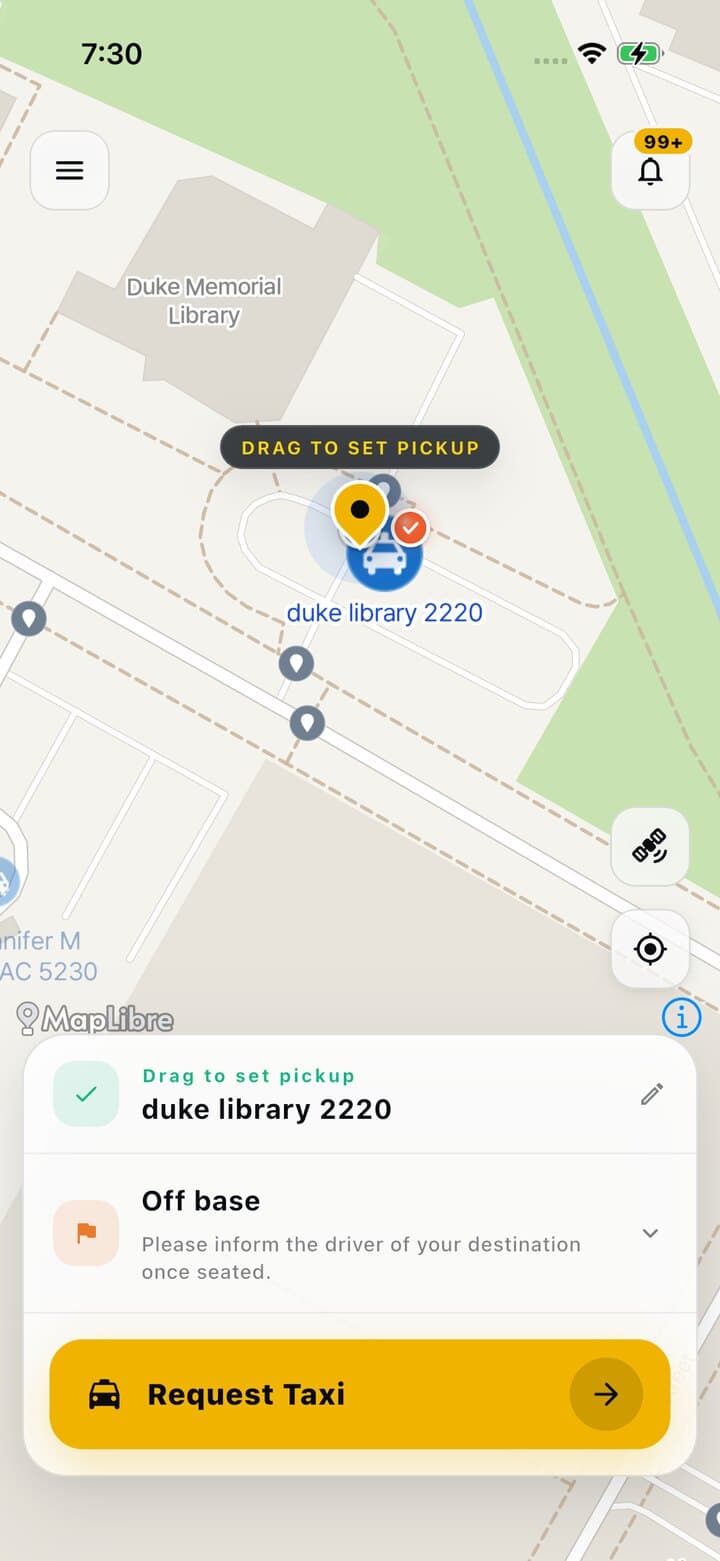
App map screen with the pick-up pin, a destination and the Request Taxi button
Step 01

Set pick-up & destination

Drag the pin to your pick-up point, choose a destination and tap Request Taxi.
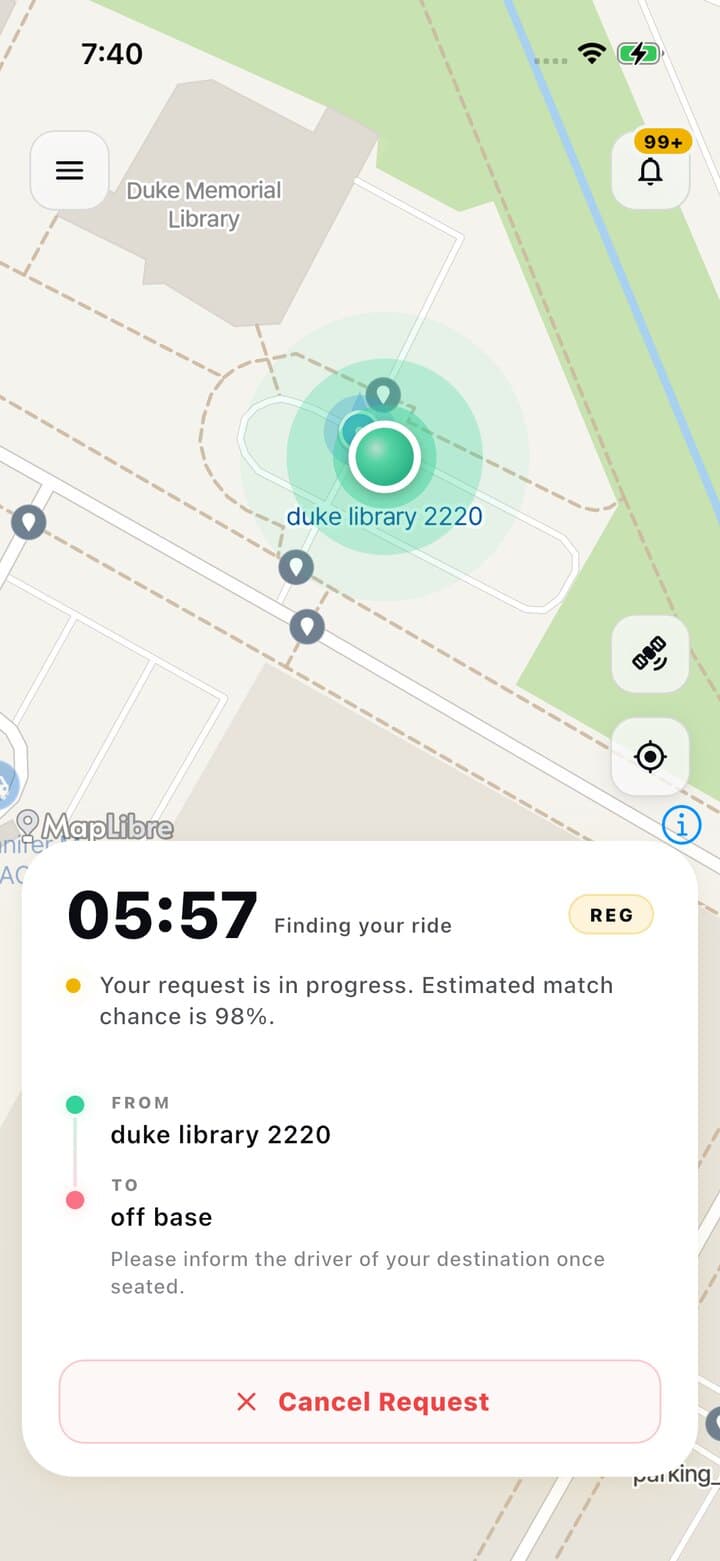
Searching for nearby taxis panel with a countdown timer
Step 02

We find your taxi

The app searches nearby taxis and shows the time remaining.
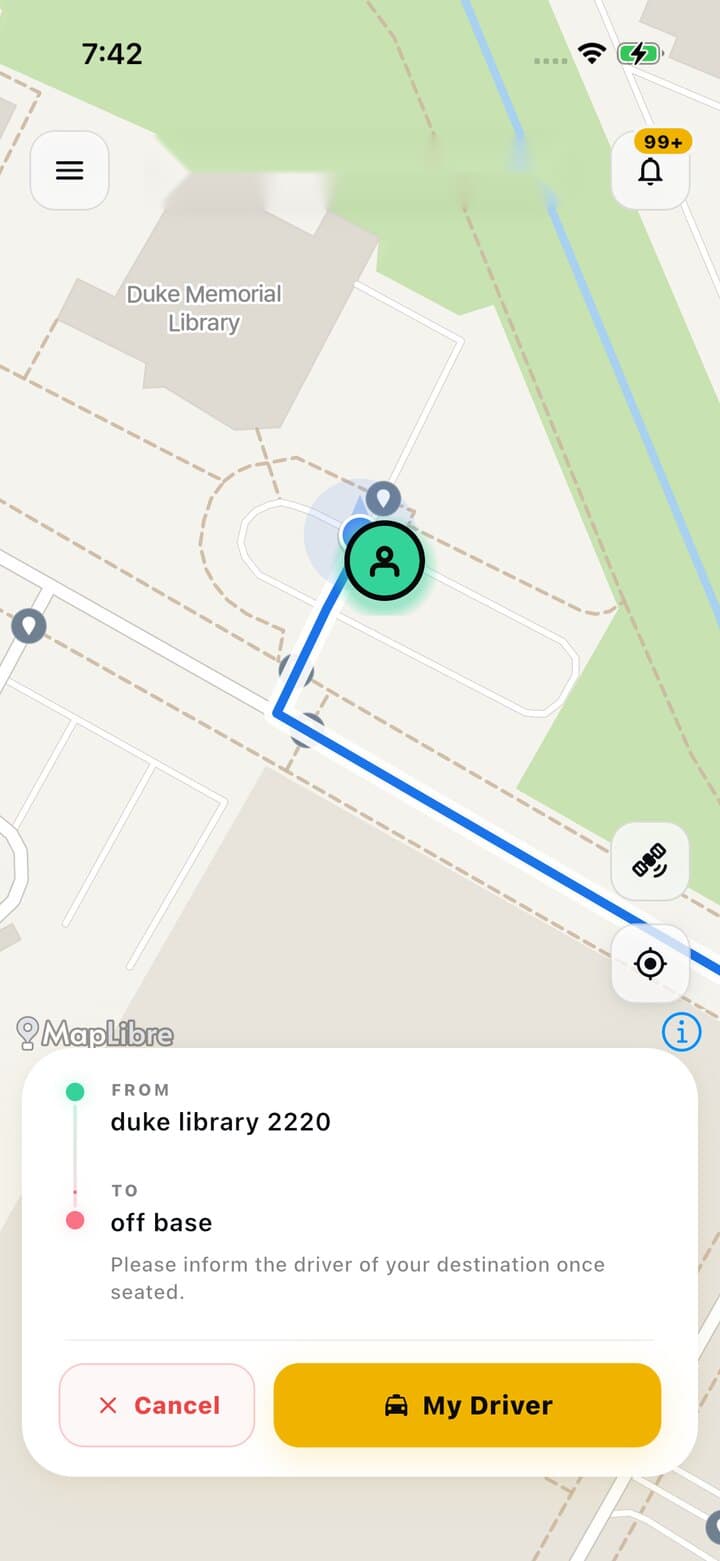
Map showing the assigned taxi approaching the pick-up point with the My Driver button
Step 03

Track your driver

See your cab number and follow the taxi on the map as it approaches.
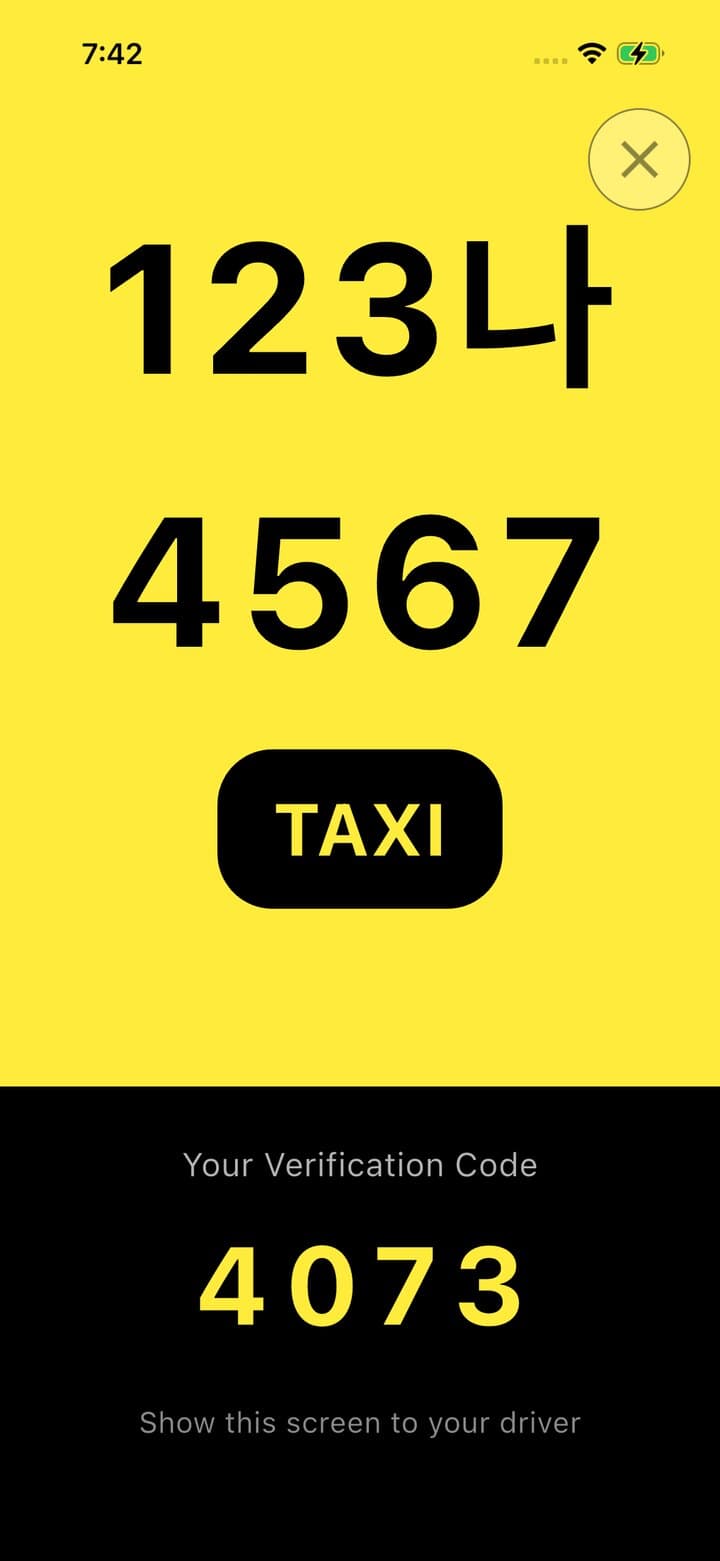
Boarding verification screen showing the cab number and a verification code
Step 04

Show your code

Tap My Driver and show the verification code to your driver when boarding.